Parent and child: where does the gate start?
A child gate acts on its parent's events, not every event in the file. Selecting T cells and drawing a CD4+ gate asks which T-cell events satisfy that boundary. Drawing the same boundary under all live cells asks a different question.
All Events
  Live cells
    T cells
      CD4+ T cells
      CD8+ T cells
CD4+ and CD8+ are siblings in this example because they share T cells as their parent. Similar indentation alone is not sufficient: check the actual population path. Changing the parent changes the input set and the %Parent denominator.
New gate or redraw?
Redrawing changes an existing gate's boundary; saving as a new gate creates another population. To compare sibling gates, create them from the same parent. Do not infer the parent from which shape was selected last.
FlowApp can clear gate boundaries while retaining the hierarchy. A retained node is a placeholder until its rule is redrawn; it is not a measured zero population. Dependent children may wait for their parent.
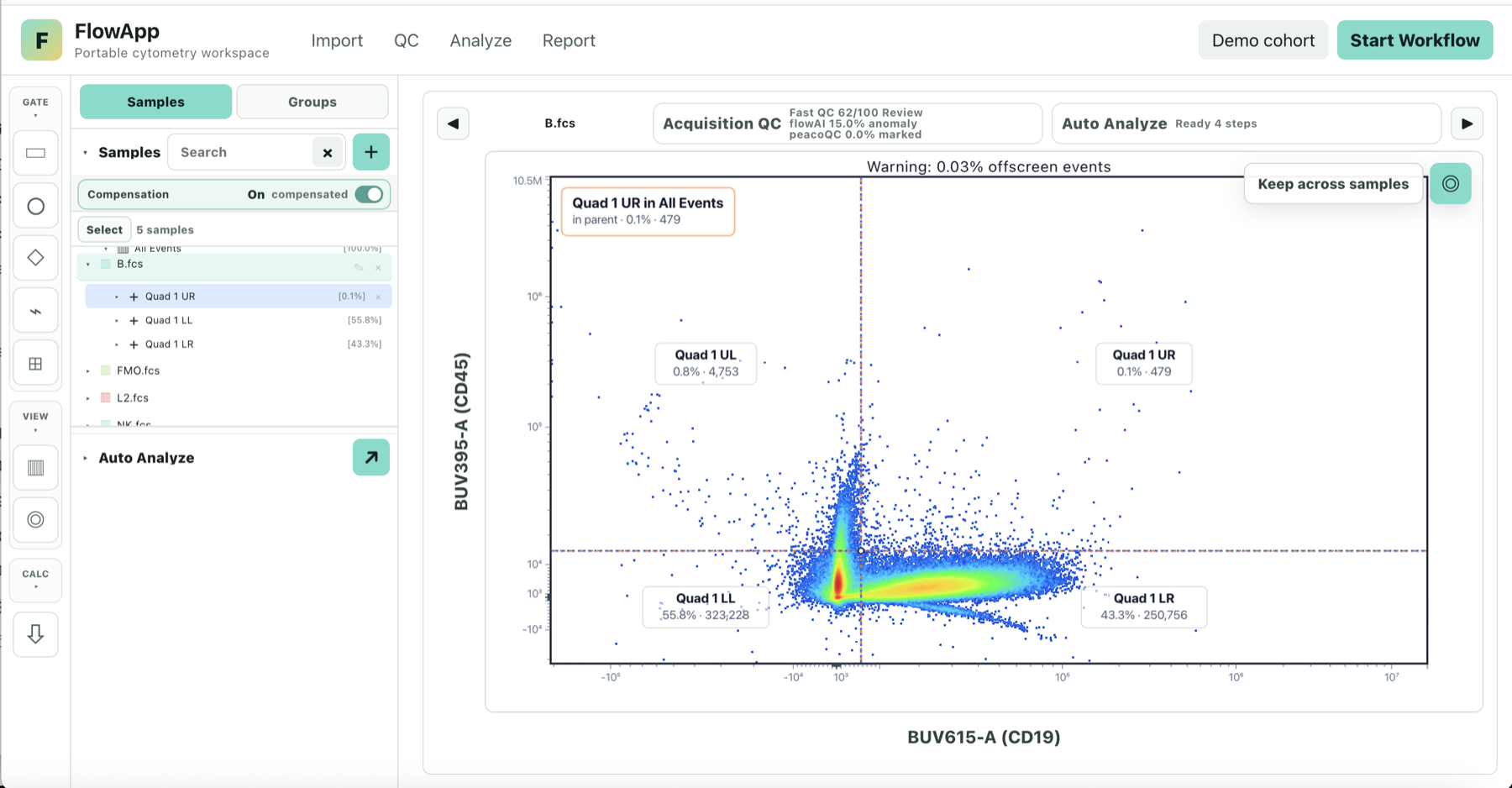
Quadrant gates share one split
A standard quadrant split classifies the selected parent's events by two thresholds on the chosen X and Y channels. Its four populations share that parent and threshold pair. Review axis assignment and positive/negative orientation before naming them.
A CD4/CD8 split made without the relevant upstream population is not automatically a T-cell classification. Threshold positions need experimental evidence; an automatically suggested split is not a substitute for appropriate controls.
Boolean gates combine event membership
| Rule | Included events |
|---|---|
| A AND B | Events present in both source populations. |
| A OR B | Events present in either source population; shared events are counted once. |
| NOT A | Events in the reference parent that are not in A. |
For a straightforward marker comparison, define source gates under the same parent. A Boolean result is a calculated population: it need not have a separate geometric boundary.
In FlowApp, Boolean AND/OR uses the nearest common ancestor of its source populations as the parent; NOT uses the source gate's parent. Check the resulting path and source gates before interpreting its statistics.
Counts and percentages
Event membership and counts are calculated from the rule, including Boolean rules. A zero count, an undefined percentage and an unfinished gate are different states. For any percentage, confirm whether the denominator is the immediate parent or all events.
Try the %Parent/%Total calculator. Before applying a hierarchy across samples, review channels, compensation and distributions; copied boundaries are not proof of equivalent populations.
Primary references
General concepts: FlowJo gating hierarchy and Boolean gates. Product-specific behavior above was checked against FlowApp's current implementation.