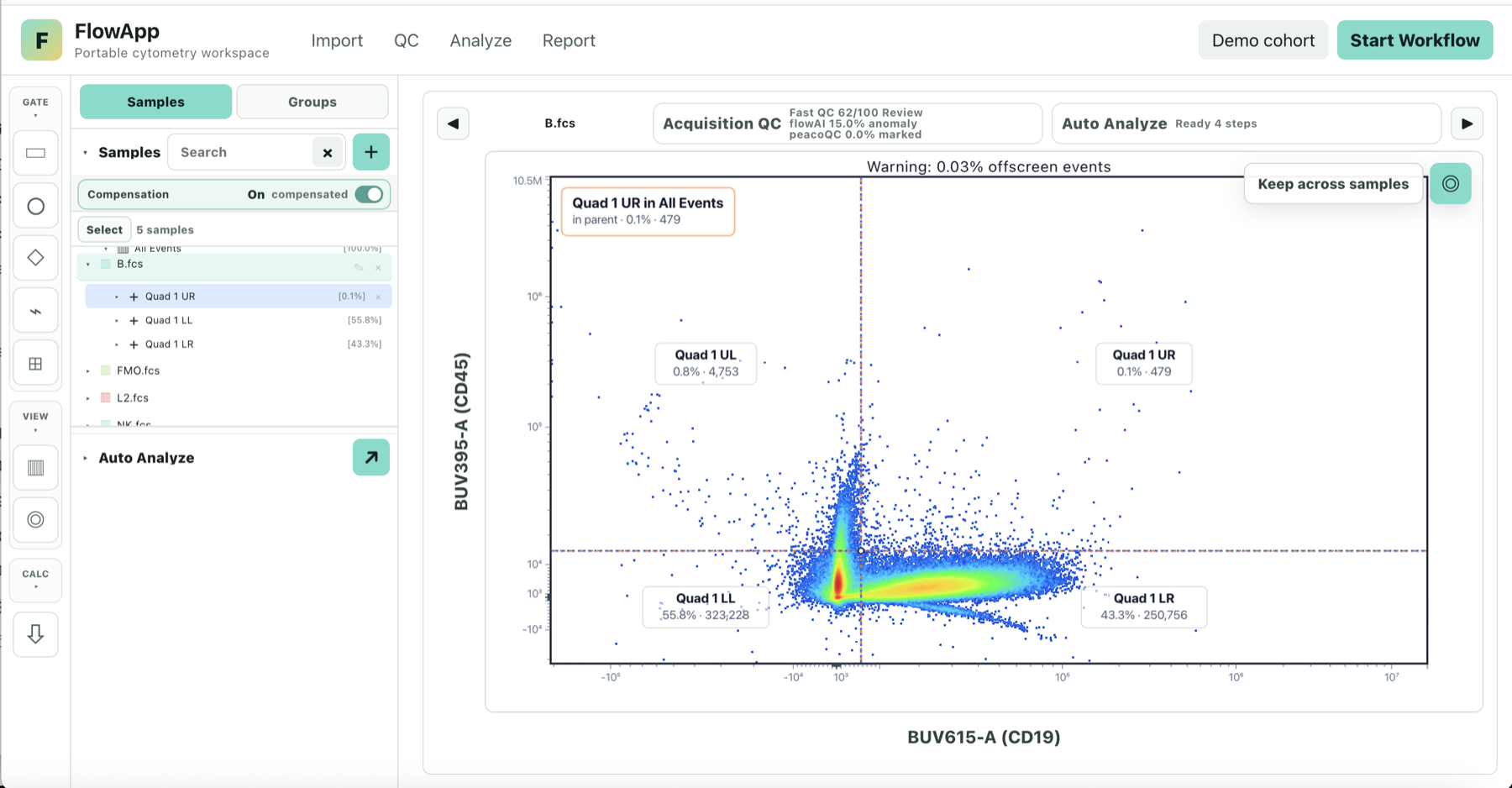
Start with the file and its channels
Import local FCS files or open the built-in synthetic demo. Check event count, parameter names, plot axes, and compensation information before interpreting any population.
Define populations in context
Draw and review gates against the selected parent population. Gate names and percentages do not by themselves validate an experimental interpretation; use appropriate controls and the panel's biological context.
Keep the analysis reviewable
Use metadata and sample groups to organize the experiment, then review summaries and report content before export. FlowApp is a research workflow tool, not a clinical diagnostic system.
FCS event files are processed in the browser workspace. Usage analytics record product events and page paths, not event-level cytometry measurements.